
With ChatGPT and Claude
Ask ChatGPT and Claude about your shop
Connect your KolayXport account once, then ask about your orders, sales and listings in everyday language. Listing suggestions are saved as drafts, and you send them to the marketplace.
Amazon: opening to new sellers soon · join the waitlist
To sign in with Google, open this page in your browser. The app's menu is usually under ⋯ at the top right.
14 days free · No credit card · Cancel anytime
Founder price until 1 December: ₺3.999/month (then ₺4.999). No commitment.
By continuing you agree to the Terms of Use. We process your personal data as described in the Privacy Notice (KVKK).
14 days free · No credit card · Cancel anytime
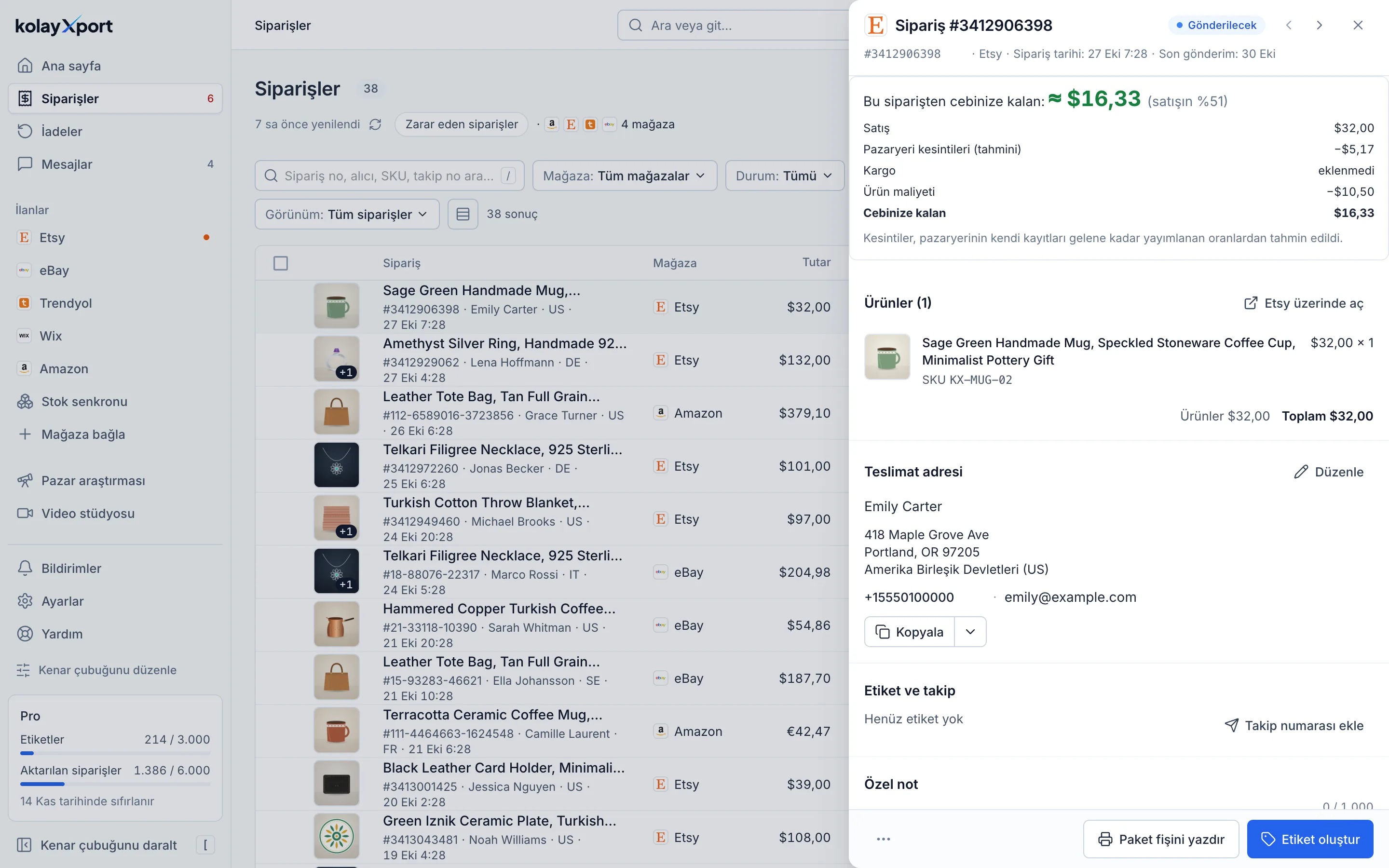
Screenshot from a demo account. Figures are illustrative.
What KolayXport does
"What did I sell this week?"
Ask about your latest orders, which marketplace and which country they came from. Answers come from your data synced in KolayXport.
"How much did Etsy take last month?"
Ask about sales totals, marketplace fees and payouts.
"Which listings are running out of stock?"
Ask about your listings and stock, and see the ones that are out or about to run out.
Suggestions stay as drafts
A new title, tag, price or stock suggestion is only saved as a draft in KolayXport. You review it and send it to the marketplace yourself.
Buyer details are not shared by default
Orders show only the buyer's country. Sharing names and addresses is a separate checkbox when you connect, and it starts off. Amazon buyer names and addresses are never shared. E-mail and phone are never shared, for any marketplace.
How it works
In ChatGPT, add KolayXport under Settings › Apps. In Claude, add KolayXport under Settings › Connectors, or choose Add custom connector and enter https://kolayxport.com/api/mcp.
ChatGPT or Claude sends you to kolayxport.com. Sign in with your KolayXport account and approve what it can do: read your shop data and, if you want, prepare listing drafts.
Ask in everyday language, for example "What did I sell this week?" or "Why did my last Etsy order sell below the listing price?". You open the drafts in KolayXport and approve them.
The KolayXport connection lets ChatGPT and Claude work with the data in your KolayXport account: orders, listings and stock from the marketplaces you connected, sales totals, marketplace fees and payouts. Amazon listings are not included yet. For step-by-step setup and privacy details, see the connection guide.
Frequently asked questions
Do I need a KolayXport account?
Yes. The connection works with your own KolayXport account and the marketplaces you connected there. You can connect it on every plan, including the free trial.
Can ChatGPT or Claude change my Etsy listing?
No. They only create a draft inside KolayXport. Nothing changes on the marketplace until you open the draft in KolayXport and send it.
How do I remove the connection?
Remove the connector in ChatGPT or Claude, or revoke it in KolayXport under Settings › Suggestion preferences. A revoked connection stops working immediately.
Related pages
- Bulk edit your eBay listings, and see every change before you send itItem specifics, category, business policies, photos, price, stock and variations, across many listings at once. Changes are staged first, so nothing changes on eBay until you send it.Read more
- Find what to sell on eBay and list it in minutesRun your eBay business from product research to listing, and from order to tracking number, in one bilingual workspace.Read more
- Bulk edit hundreds of Etsy listings, and see every change before it goes livePrices, tags, titles, descriptions, variations, SKUs and photos, edited in bulk. Changes are staged first, so nothing reaches your shop until you send it.Read more
Strengthen your first listing today
Connect your shop, have one listing's English copy rewritten and see the difference yourself.
14 days free · No credit card · Cancel anytime